Modify-Level command
this command would allow admins to modify the level of users.
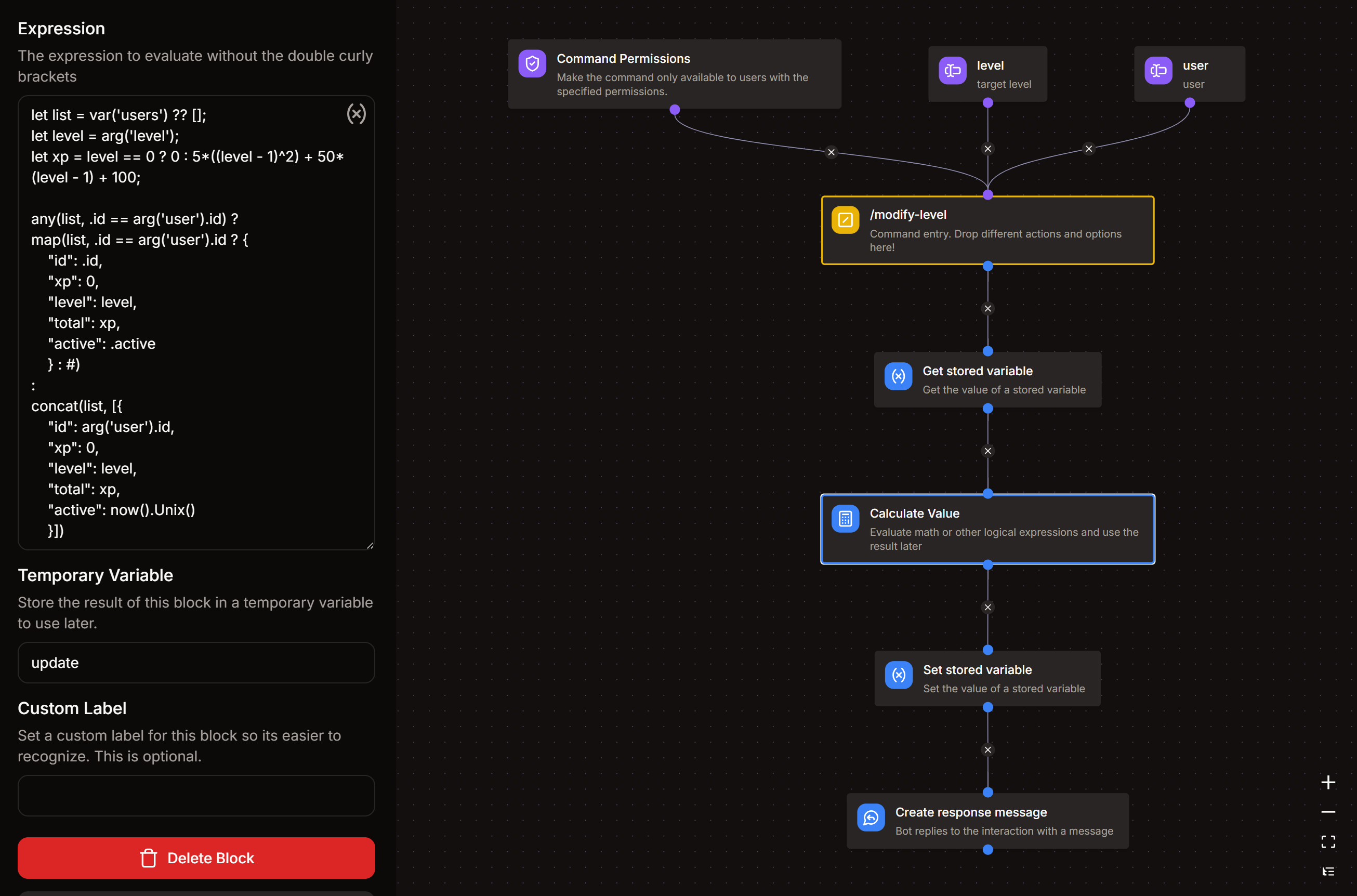
/modify-level
note
Updating the user's role based on the modified level is currently not supported. You may have to update them manually.
Arguments
-
user
- Description : user whose level need to be modified
- Type : User
- Argument Required : True
-
level
- Description : target level
- Type : Whole Number
- Argument Required : True
- Minimum Value : leave empty
- Maximum Value : 999 (It is not recommended to modify levels beyond this)
Command Permissions
- Required Permission : MANAGE GUILD (recommended)
Get Stored Variable
- Variable : levels
- Set Temporary Variable :
users
Calculate Value
- Set Temporary Variable :
update
Expression
let list = var('users') ?? [];
let level = arg('level');
let xp = level == 0 ? 0 : 5*((level - 1)^2) + 50*(level - 1) + 100;

any(list, .id == arg('user').id) ?
map(list, .id == arg('user').id ? {
	"id": .id,
	"xp": 0,
	"level": level,
	"total": xp,
	"active": .active
	} : #)
:
concat(list, [{
	"id": arg('user').id,
	"xp": 0,
	"level": level,
	"total": xp,
	"active": now().Unix()
	}])
Set Stored Variable
- Variable : levels
- Operation : Overwrite
- Value :
{{var('update')}}
Create Response Message
Message Content
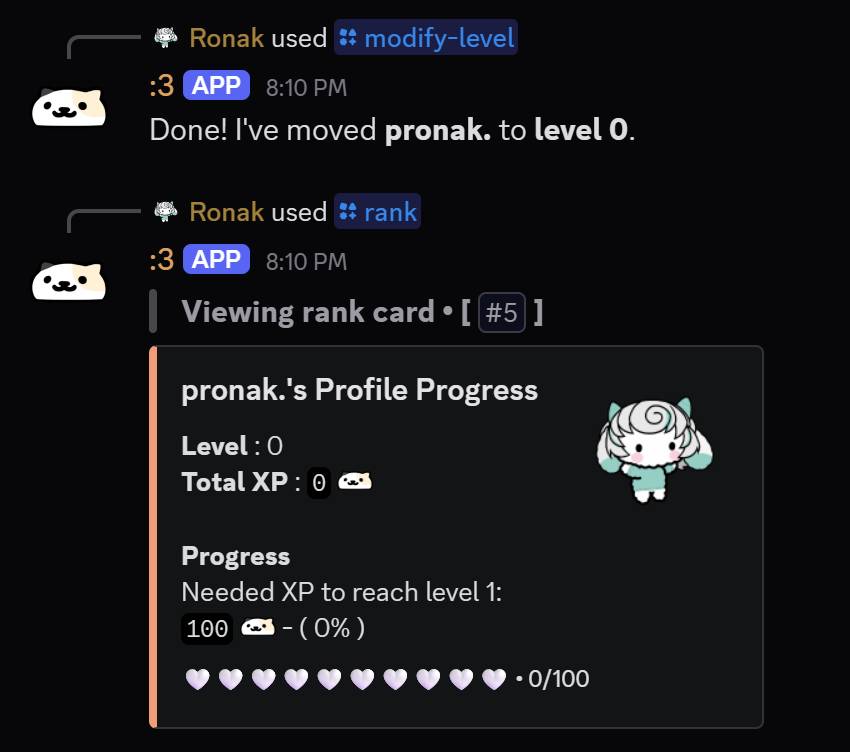
Done! I've moved **{{arg('user').username}}** to **level {{arg('level')}}**.