Message Event Listener
This is required to track messages in order to give XP to users.
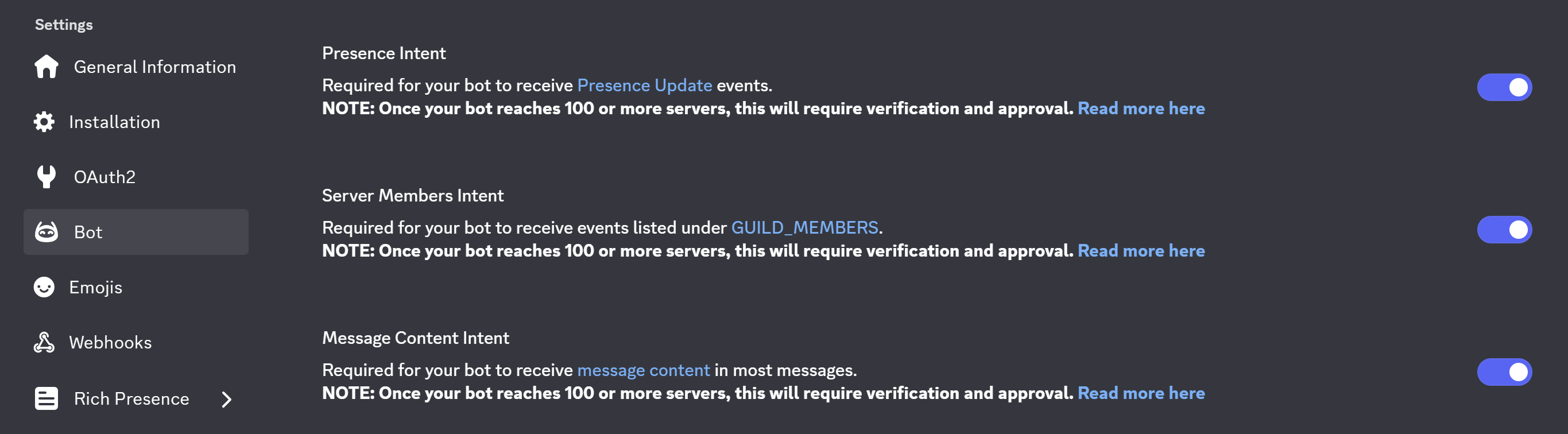
Before starting, go to your Discord Developer Portal and make sure that the Message Content Intent is enabled for your bot.
Message Content Intent
Creating an Event Listener
Go to your Kite Dashboard > Event Listeners and create a new listener.
Select the event type as Message Create.
Get Stored Variable
- Variable : levels
- Set Temporary Variable :
users
Generate Random Number
-
Min Value : 15
-
Max Value : 25
-
Set Temporary Variable :
xp_gained
Calculate Value
- Set Temporary Variable :
xp
let list = var('users') ?? [];
let user_data = find(list, .id == user.id);

now().Unix() - (user_data?.active ?? 0) > 60 ?
	let current_xp = (user_data?.xp ?? 0) + var('xp_gained');
	let xp_needed = 5*((user_data?.level ?? 0)^2) + 50*(user_data?.level ?? 0) + 100;
	let xp = current_xp >= xp_needed ? current_xp - xp_needed : current_xp;
	let level = current_xp >= xp_needed ? (user_data?.level ?? 0) + 1 : (user_data?.level ?? 0);

	{
		"update": user_data != nil ?
		map(list, .id == user.id ? {"id": .id, "xp": xp, "level": level, "total": .total + var('xp_gained'), "active": now().Unix()} : #) :
		concat(list, [{"id": user.id, "xp": xp, "level": level, "total": var('xp_gained'), "active": now().Unix()}]),
		"announce": level > (user_data?.level ?? 0) ? true : false,
        "level_up": level > (user_data?.level ?? 0) ? level : nil
	}

: nil
Comparison Condition - 1
-
Base Value :
{{type(var('xp'))}} -
Match Condition
| Comparison Mode | Comparison Value |
|---|---|
| Equal | map |
Set Stored Variable
- Variable : levels
- Operaation : Overwrite
- Value :
{{var('xp').update}}
Comparison Condition - 2
-
Base Value :
{{var('xp').announce}} -
Match Condition
| Comparison Mode | Comparison Value |
|---|---|
| Equal | {{true}} |
Create Channel Message
-
Target Channel :
{{channel.id}} -
Message Content :
**{{user.username}}**, you're now **level {{var('xp').level_up}}**
This will send the level-up notification in the current channel (wherever the user sent the last message).
To specify a channel for level-up notifications, put the channel ID as the target channel.
for eg. if 123 is your channel ID, put 123 in the Target Channel.
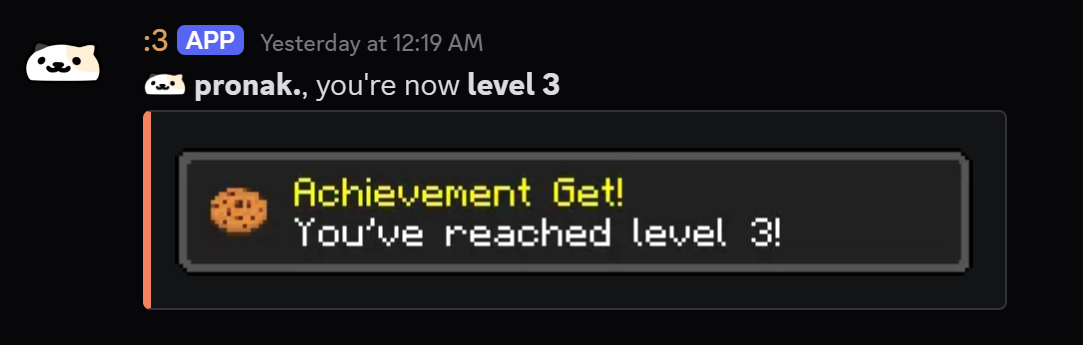
You can optionally add a level-up card to the message as shown above.
- Add an embed and in the Image URL, put this :
https://api.alexflipnote.dev/achievement?text=You%27ve%20reached%20level%20{{var('xp').level_up}}!&icon=8
This will automatically update according to the level achieved.
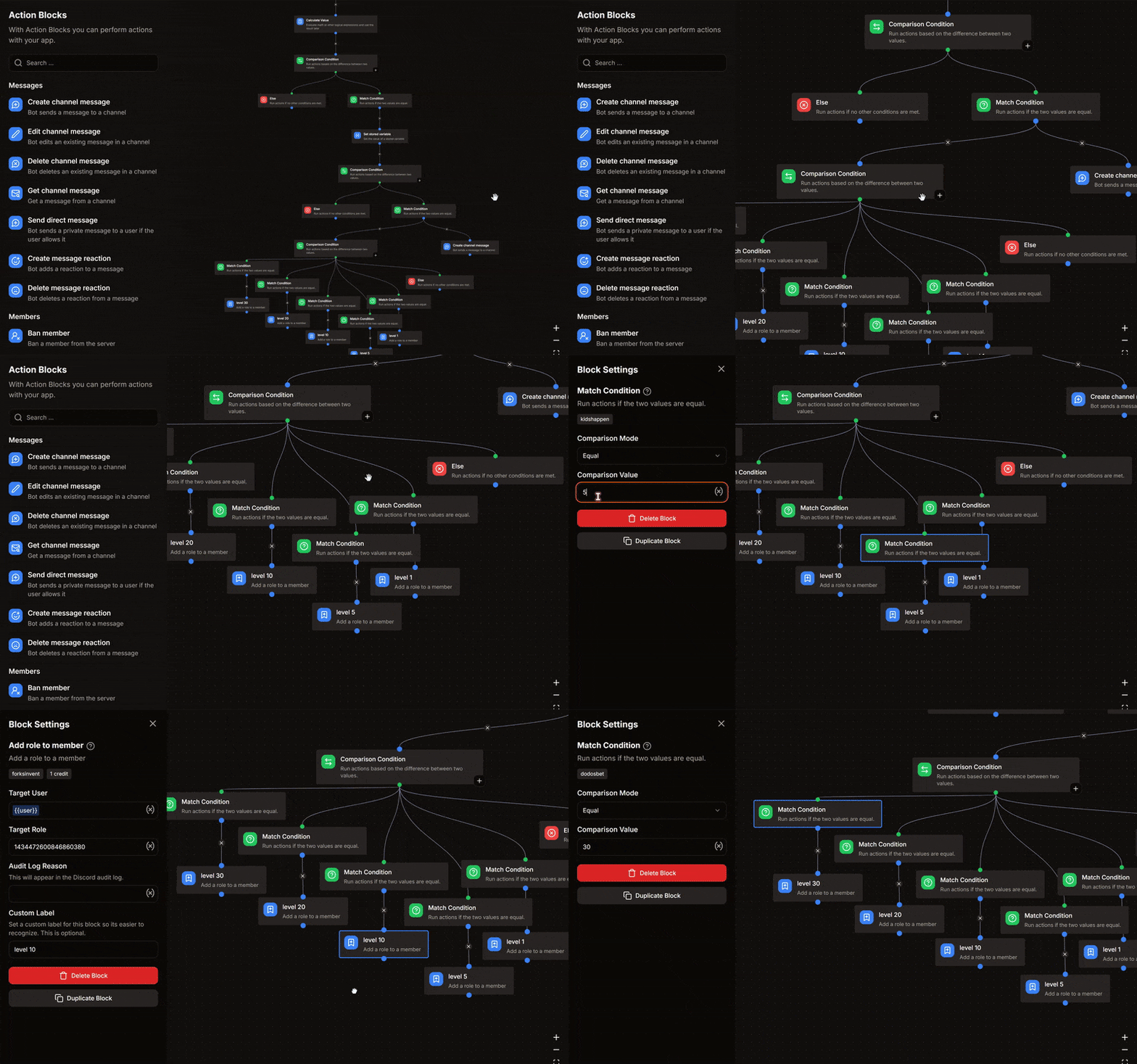
Setting Level Roles
-
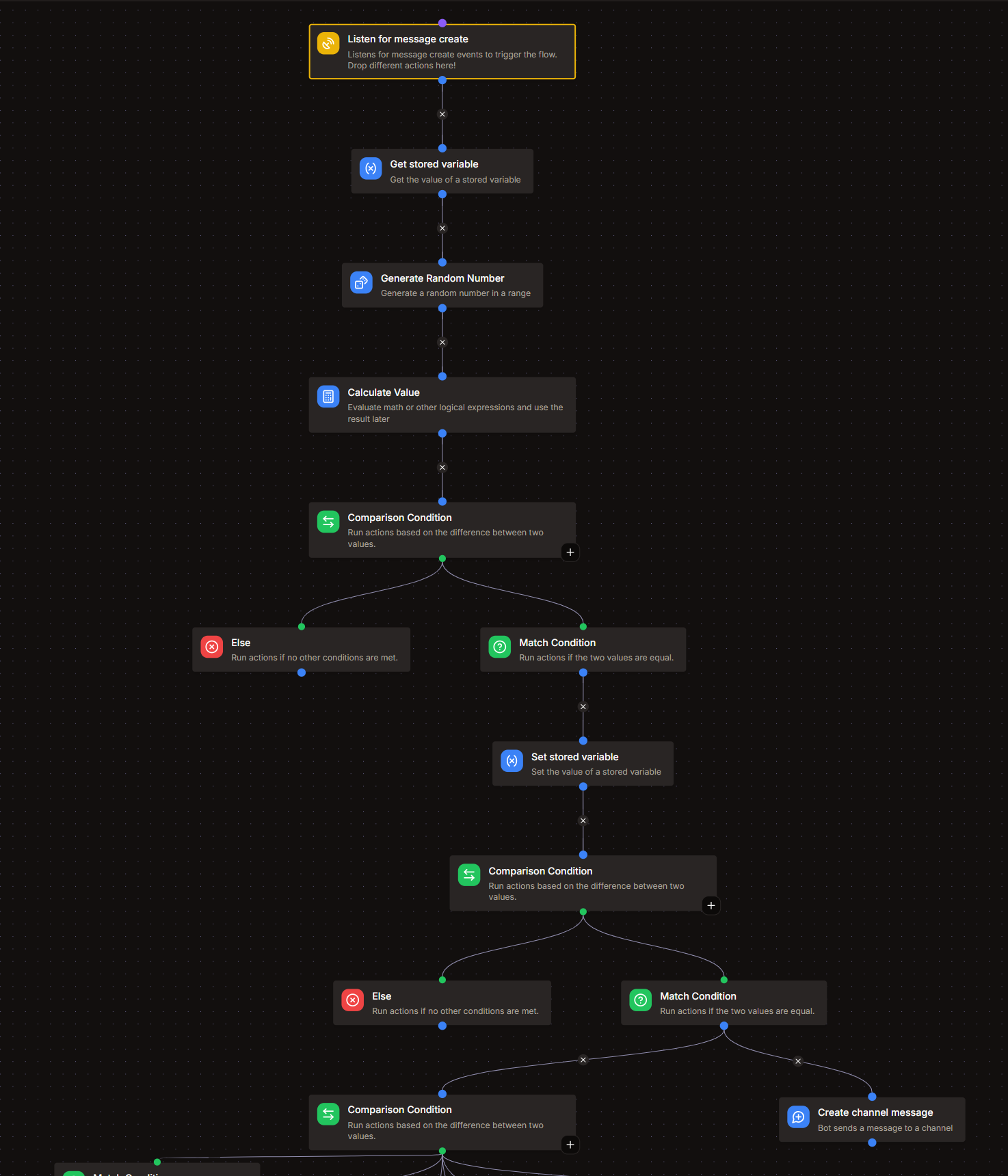
To set-up level roles, add a Comparison Condition block adjacent to the Create Channel Message block.
- Base Value :
{{string(var('xp').level_up)}}
- Base Value :
-
For each level where you want to assign a role, add a Match Condition.
- Comparison Mode :
Equal - Comparison Value : your level number
for eg. : if you want to give a role for level 5, your value will be 5.
- Comparison Mode :
-
After the respective Match Condition, add an Add role to member block.
- Target User :
{{user}} - Target Role : your role ID
- Target User :
Setting Level Roles Example
Blacklist Channels
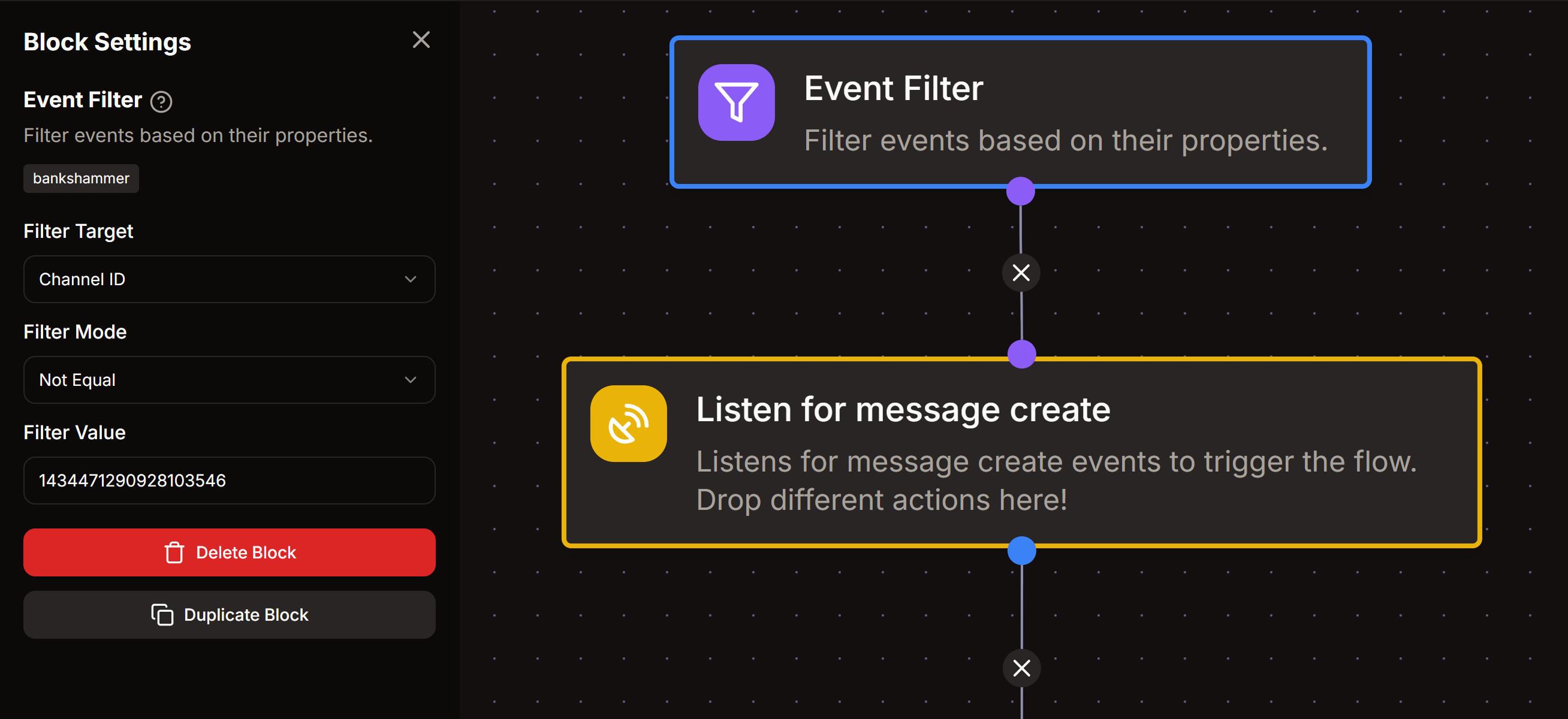
To prevent users from gaining XP in certain channels (like bot-commands, announcements, etc.), you can use Event Filters at the top of your event listener.
Use separate filters for each channel you want to blacklist.
Channel Blacklist Example