Command Cooldowns
Add cooldowns to your commands or event listeners to prevent spam and have more control over your commands.
Creating a variable
- Create a variable named "cooldown" from your Kite dashboard - Stored Variables tab.
- Set the variable as scoped.
info
Usage of scopes ⚙️
user.id- for user-specific cooldowns- if
xuser invokes the command, it won't affectyuser.
- if
guild.id- for server-wide cooldowns- if
xuser invokes the command, all the users in the server will be on cooldown for using the command.
- if
0- for global cooldown- if
xuser invokes the command in any server, all the users across all the server the bot is present in would be on cooldown for using the command.
- if
Comparing values
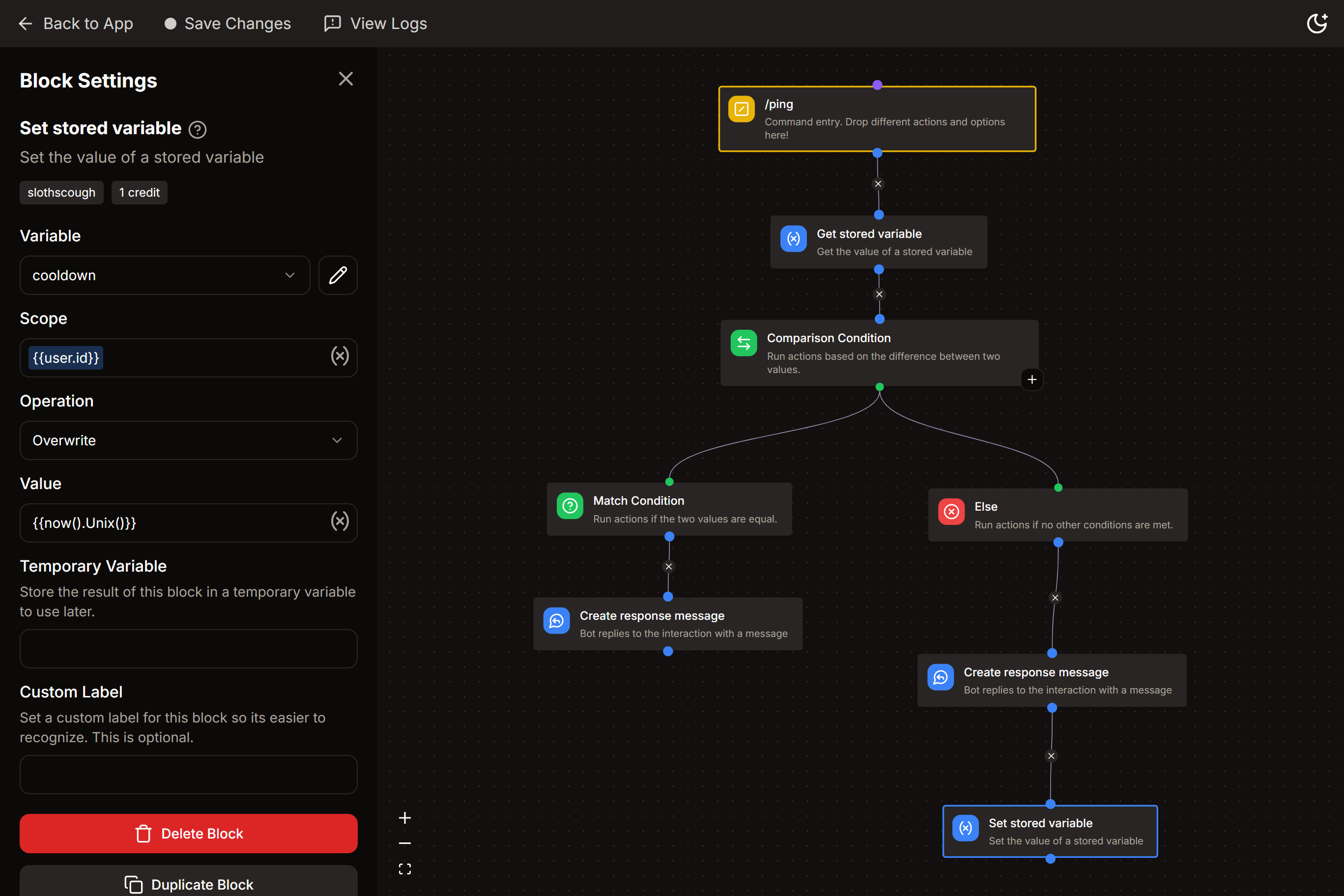
- Add these blocks before your actual command flow/actions :
- Get Stored Variable
- Comparison Condition
Get Stored Variable
- Variable :
cooldown - Scope :
{{user.id}}/{{guild.id}}/0[ see above for correct usage ]
Comparison Condition
- Base Value :
{{now().Unix() - (result('GET_VARIABLE') ?? 0)}}
note
Replace 'GET_VARIABLE' with your actual block's name.
- Match Condition
- Comparison Mode -
LESS THAN - Comparison Value :
- Comparison Mode -
{{duration("2m").Seconds()}}
note
Replace "2m" with your desired duration. (see below)
info
Correct Usage for duration
- Valid time units are "s", "m", "h".
for eg.- if you want 2 hour cooldown -
{{duration("2h").Seconds()}} - 2 hour 30 mins -
{{duration("2h30m").Seconds()}} - 2 hour 30 mins 5 seconds -
{{duration("2h30m5s").Seconds()}} - 20 m 10 s -
{{duration("20m10s").Seconds()}}
- if you want 2 hour cooldown -
warning
Days tag - "d" is not accepted
- If you want
x dayscooldown, you'll have to convert it to hours.- for eg. : 4 days = 96h , 2d 3h = 51h , etc.
Response
- if the condition is true :
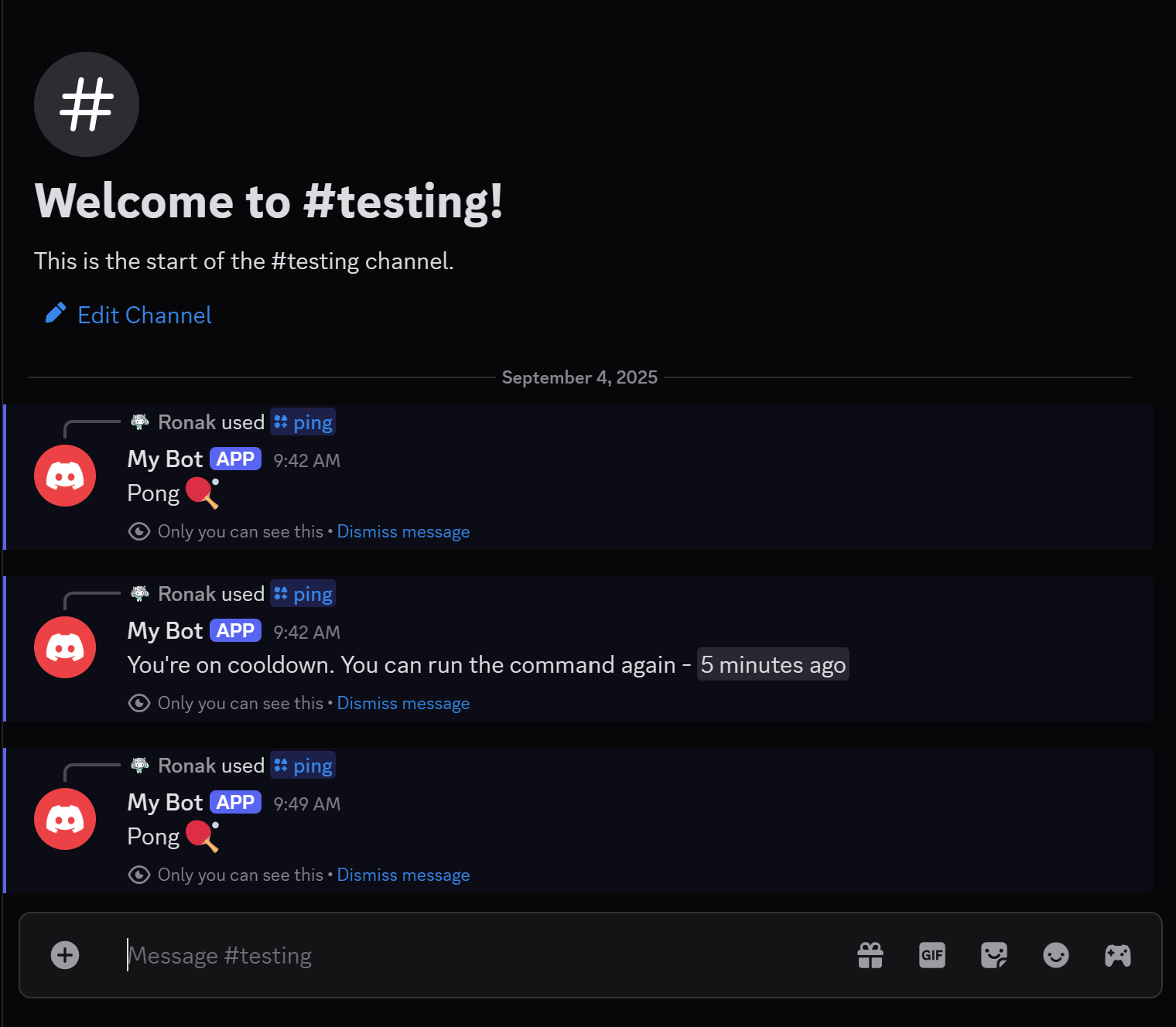
- You're on cooldown. You can run the command again -
<t:{{result('GET_VARIABLE') + duration("2m").Seconds()}}:R>
- You're on cooldown. You can run the command again -
- else :
- connect your original command flow
Setting variable value
At the end of your actual command flow, add the Set Stored Variable block
- Variable :
cooldown - Scope :
{{user.id}}/{{guild.id}}/0[ see above for correct usage ] - Operation -
overwrite - Value -
{{now().Unix()}}
tip
If you have multiple commands where you want to have a separate cooldown for each command, you can create command-wise scopes.
Just add your command name before the actual scope. for eg.,
I've 2 commands /echo & /ping and I want to add user cooldown to both. In this case I'll use the following scopes:
echo-{{user.id}}ping-{{user.id}}