Leaderboard command
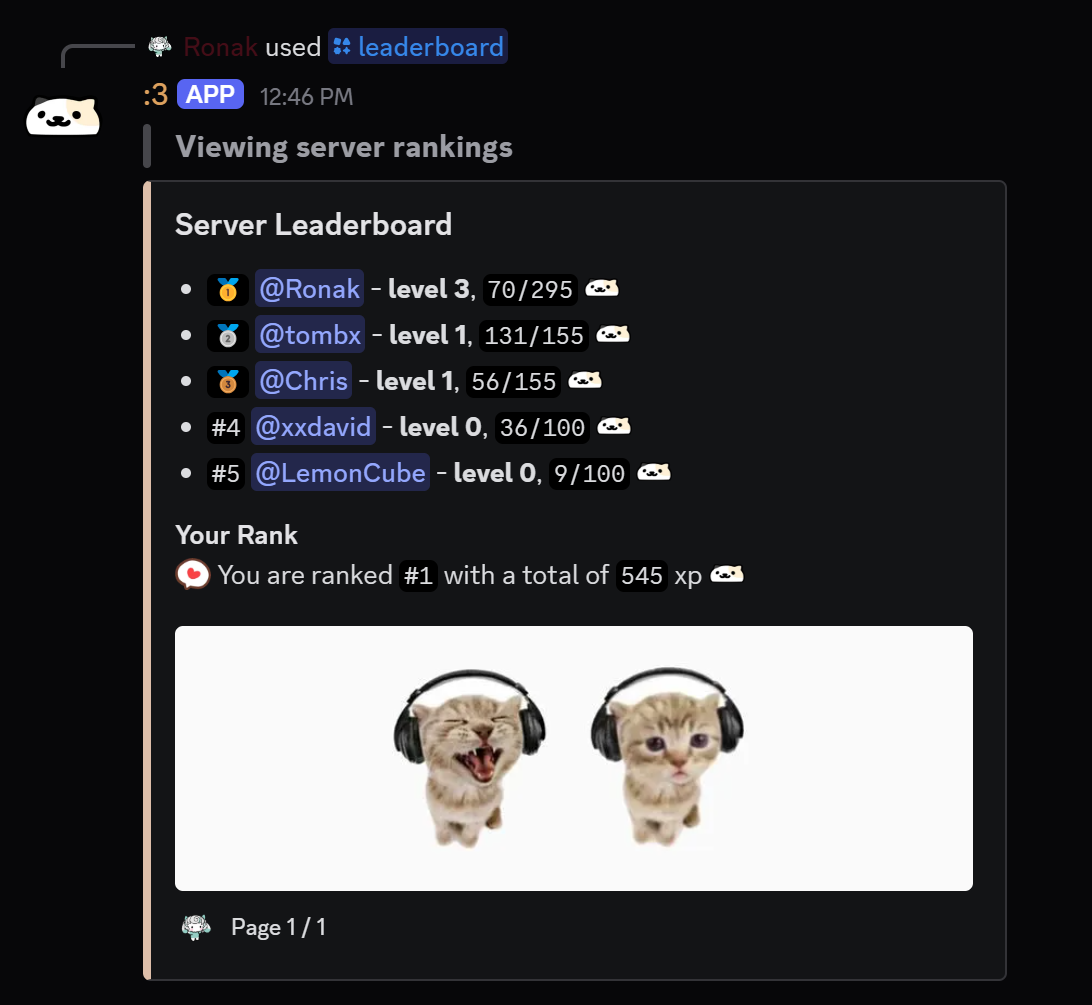
this command shows the server level rankings, from top to bottom
/leaderboard
Arguments
page- Description : leaderboard's page number
- Type : Whole Number
- Argument Required : False ( )
- Minimum Value : 1
Get Stored Variable
- Variable : levels
- Set Temporary Variable :
users
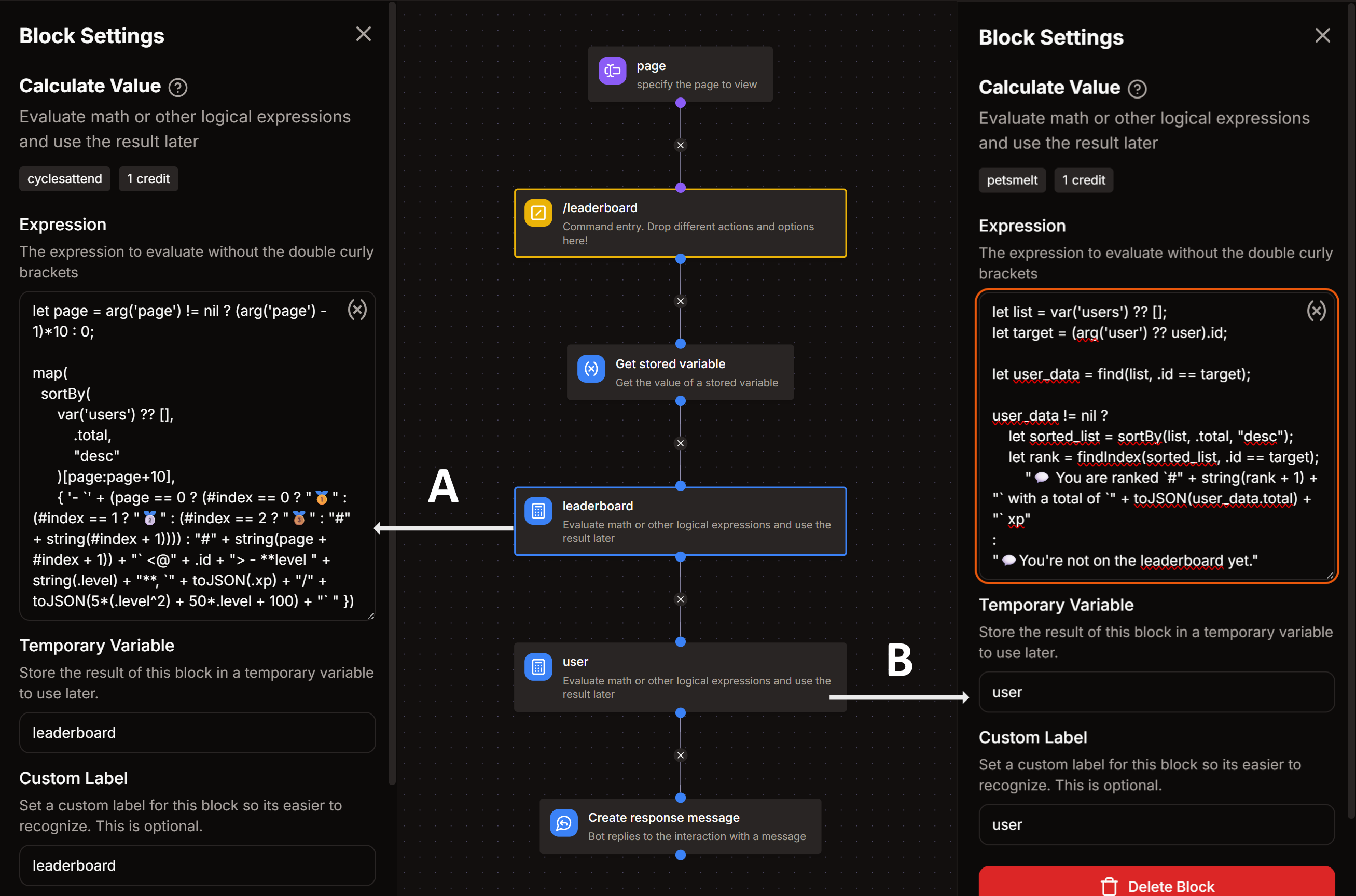
Calculate Value - A
- Temporary Variable :
leaderboard
Expression, Temporary Variable = leaderboard
let page = arg('page') != nil ? (arg('page') - 1)*10 : 0;

map(
  sortBy(
      var('users') ?? [],
          .total,
          "desc"
      )[page:page+10],
      { '- `' + (page == 0 ? (#index == 0 ? "🥇" : (#index == 1 ? "🥈" : (#index == 2 ? "🥉" : "#" + string(#index + 1)))) : "#" + string(page + #index + 1)) + "` <@" + .id + "> - **level " + string(.level) + "**, `" + toJSON(.total) + "` xp" })
Calculate Value - B
- Temporary Variable :
user
Expression, Temporary Variable = user
let list = var('users') ?? [];
let target = (arg('user') ?? user).id;

let user_data = find(list, .id == target);

user_data != nil ?
    let sorted_list = sortBy(list, .total, "desc");
    let rank = findIndex(sorted_list, .id == target);
    "💬 You are ranked `#" + string(rank + 1) + "` with a total of `" + toJSON(user_data.total) + "` xp"
:
"💬 You're not on the leaderboard yet."
Create Response Message
- Add an embed
- Build embed as follows :
Embed Description
{{join(var('leaderboard'), '\n')}}
Embed Footer
{{user.username}} • Page {{arg('page') ?? 1}} / {{var('users') ?? "0" | len()/10 | ceil()}}
- Additionally add a
Fieldin the embed with the name Your Rank and put this in field value :
Field Value
{{var('user')}}
tip
You can edit other parts of the embed such as image, color, etc. as you wish!