Modify-Points command
this command would allow admins to modify points of users.
/modify points

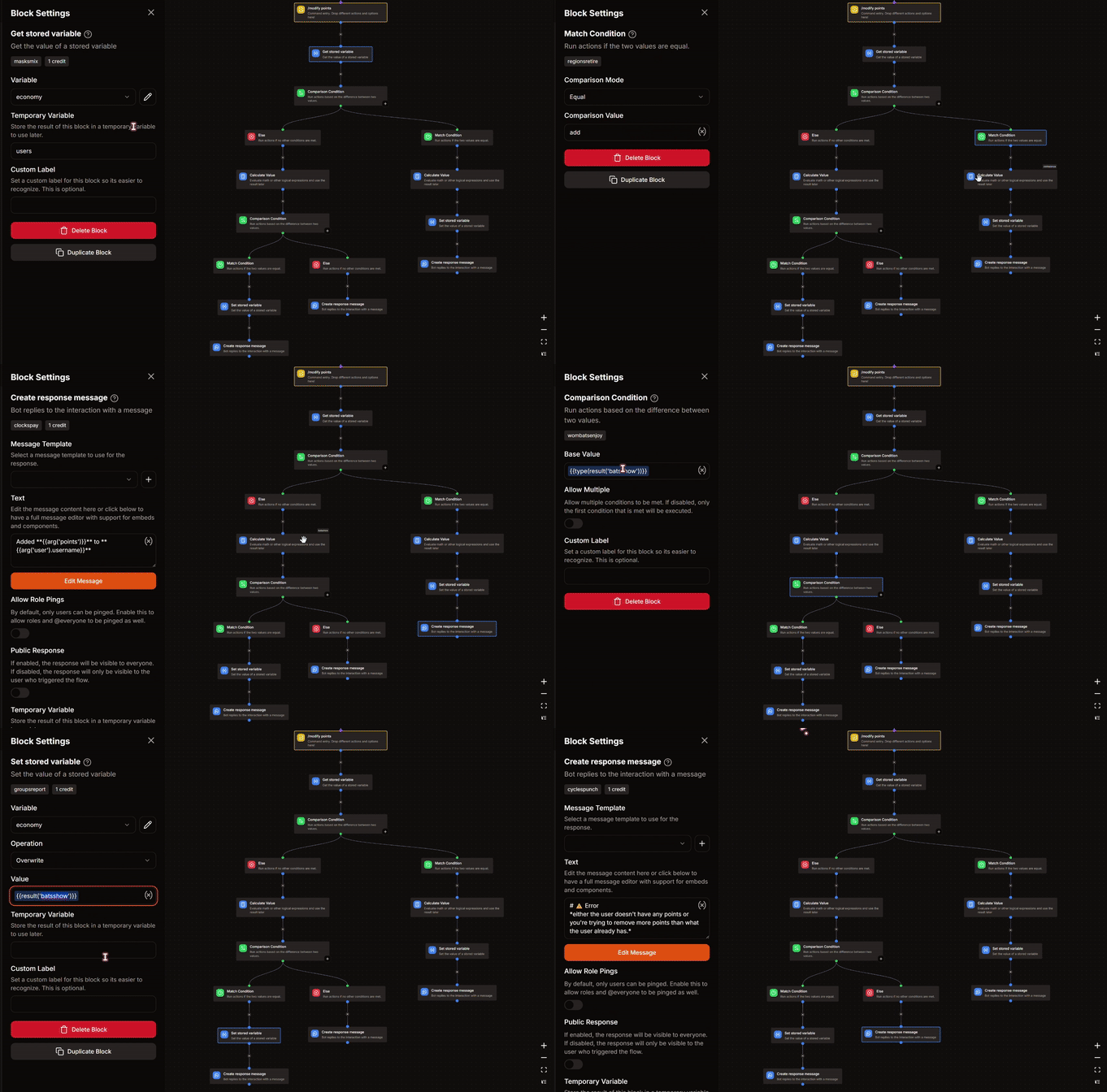
🛠️ Step 1 : Arguments and Permissions
Arguments
-
points- Description : number of points to add/remove
- Type : Whole Number
- Argument Required : True
- Minimum Value : 1
- Maximum Value : your choice ( I've put 100000 in my example )
-
user- Description : user whose points need to be modified
- Type : User
- Argument Required : True
-
operation- Description : add or remove
- Type : Text
- Argument Required : True
- Choices :
- Add :
add - Remove :
remove
Command Permissions
MANAGE GUILD or any other; modify it according to you.
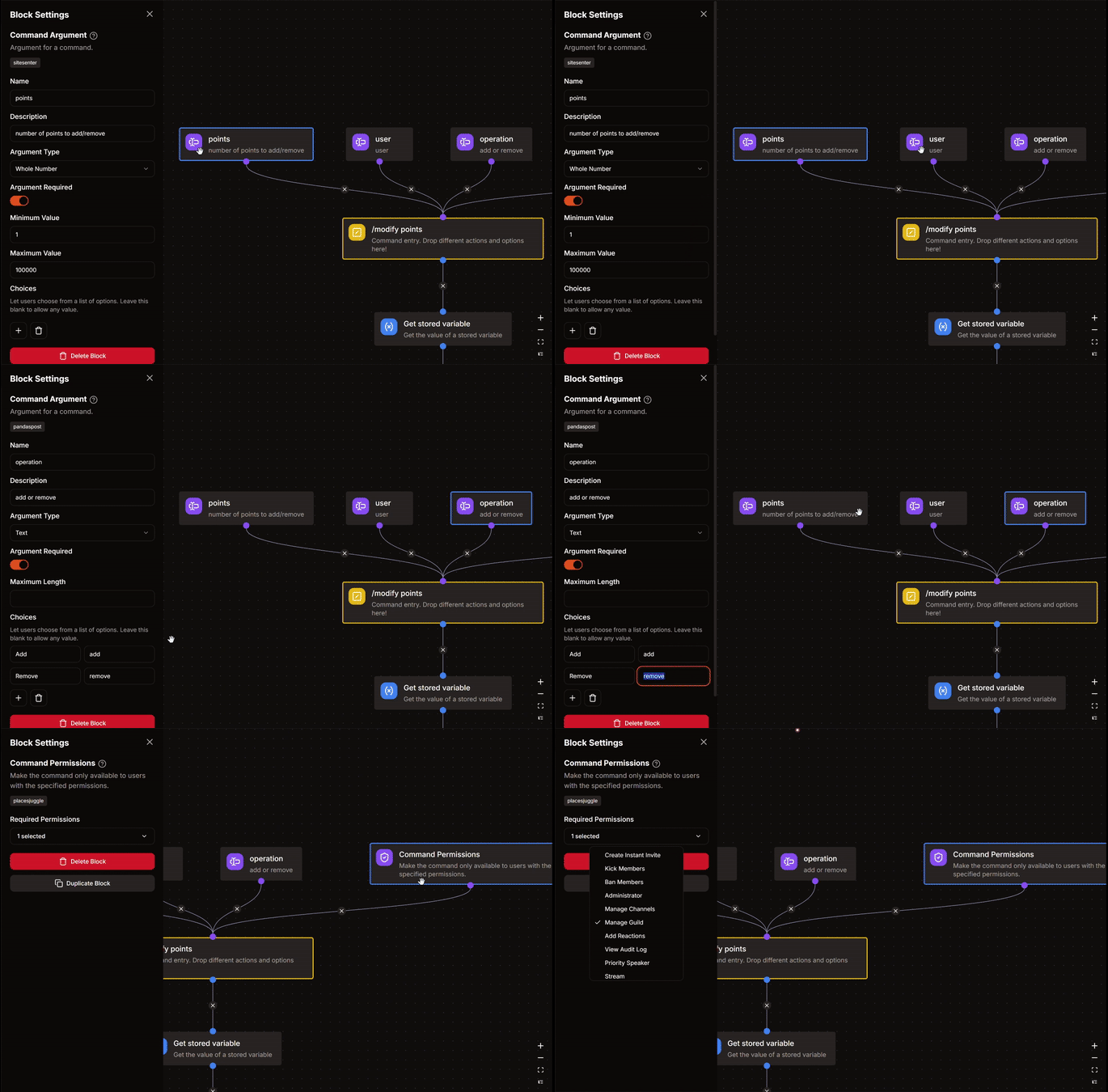
📝 Step 2 : Get Stored Variable
- Variable : economy
- Set Temporary Variable :
users
🔄️ Step 3 : Comparison Condition
- Base Value :
{{arg('operation')}} - Match Condition
- Comparison Mode : Equal
- Comparison Value :
add
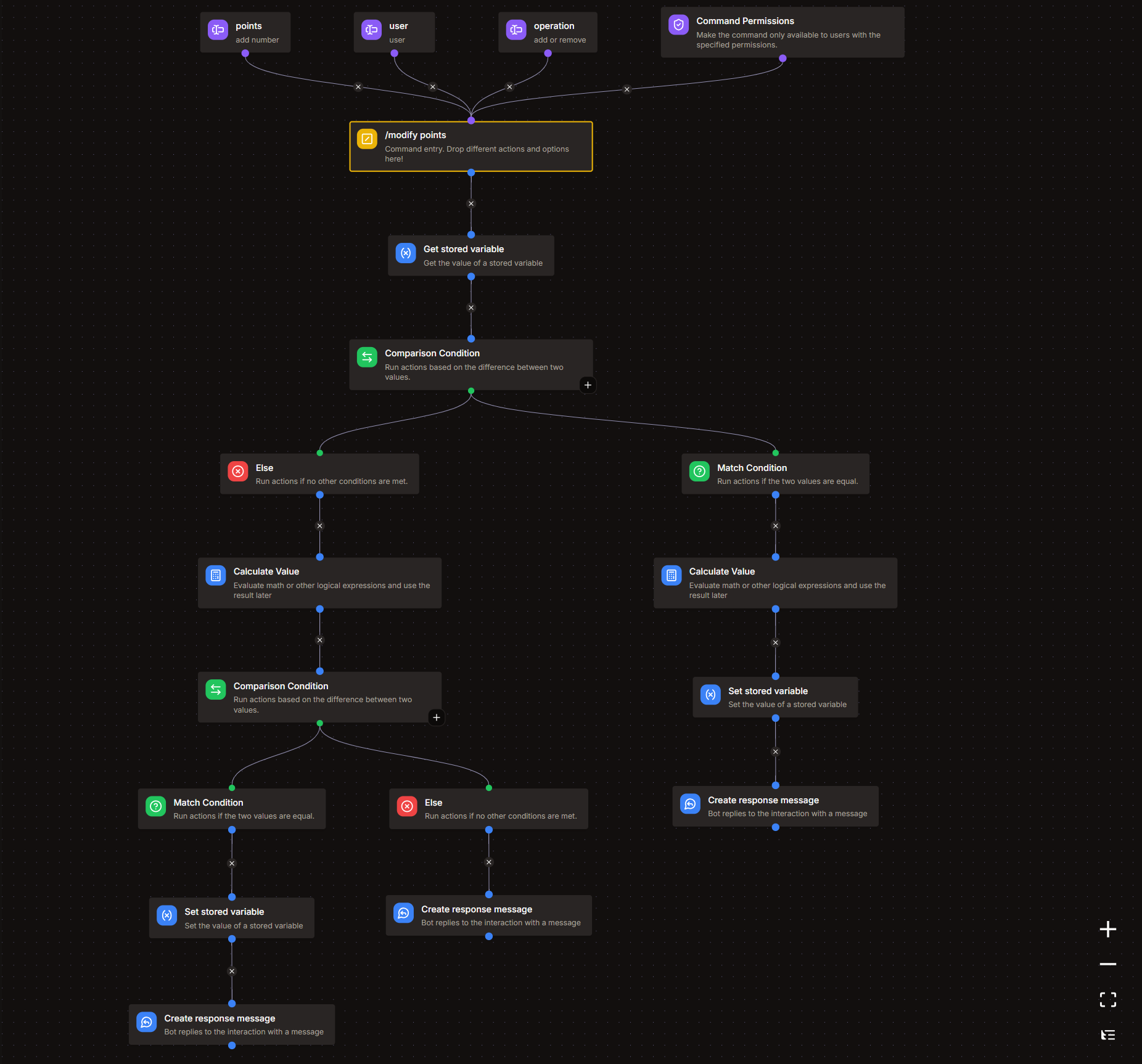
3.A. Match Condition
1. Calculate Value Block
danger
DO NOT CHANGE anything that you don't understand.
Expression
let list = var('users') ?? [];
let target_user = arg('user').id;
let points = arg('points');

any(list, .id == target_user) ?
    map(list, .id == target_user ? {"id": .id, "points": .points + points} : #) :
    concat(list, [{"id": target_user, "points": points}])
2. Set Stored Variable
- Variable : economy
- Operation : Overwrite
- Value :
{{result('CALCULATE_VALUE')}}-# Replace CALCULATE_VALUE with your respective block's name.
3. Create Response Message
📋 Copy or edit this, and put it into your response message.
Added **{{arg('points')}}** to **{{arg('user').username}}**
3.B. Else
1. Calculate Value Block
danger
DO NOT CHANGE anything that you don't understand.
Expression
let list = var('users') ?? [];
let target_user = arg('user').id;
let points = arg('points');

let modify = find(list, .id == target_user);

points <= (modify?.points ?? 0) ?
    map(list, .id == target_user ? {"id": .id, "points": .points - points} : #) :
    "error"
- Set Temporary Variable :
modify
2. Comparison Condition
- Base Value :
{{type(var('modify'))}} - Match Condition
- Comparison Mode : Equal
- Comparison Value :
array
2.i. Match condition
-
Set Stored Variable
- Variable : economy
- Operation : Overwrite
- Value :
{{var('modify')}}
-
Create Response Message
Removed **{{arg('points')}}** from **{{arg('user').username}}**
2.ii. Else
Create Response Message
📋 Copy or edit this, and put it into your response message.
# ⚠️ Error
*either the user doesn't have any points or you're trying to remove more points than what the user already has.*
info
It is recommended to look at the GIF attached below as it shows all the blocks & their settings step-wise. Make sure your command structure matches the structure shown in the GIF.