Message Event Listener
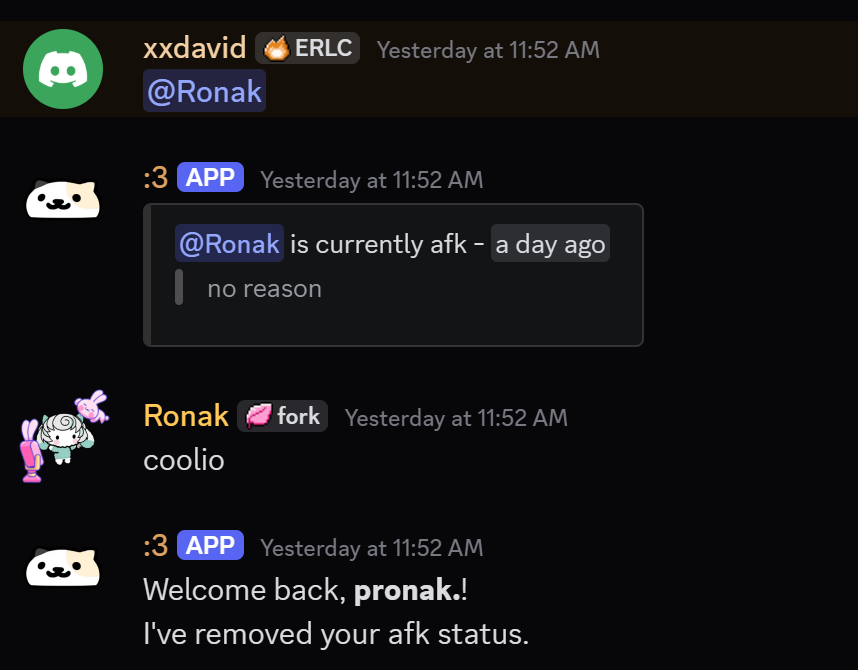
This is required in order to detect user mentions and messages.
warning
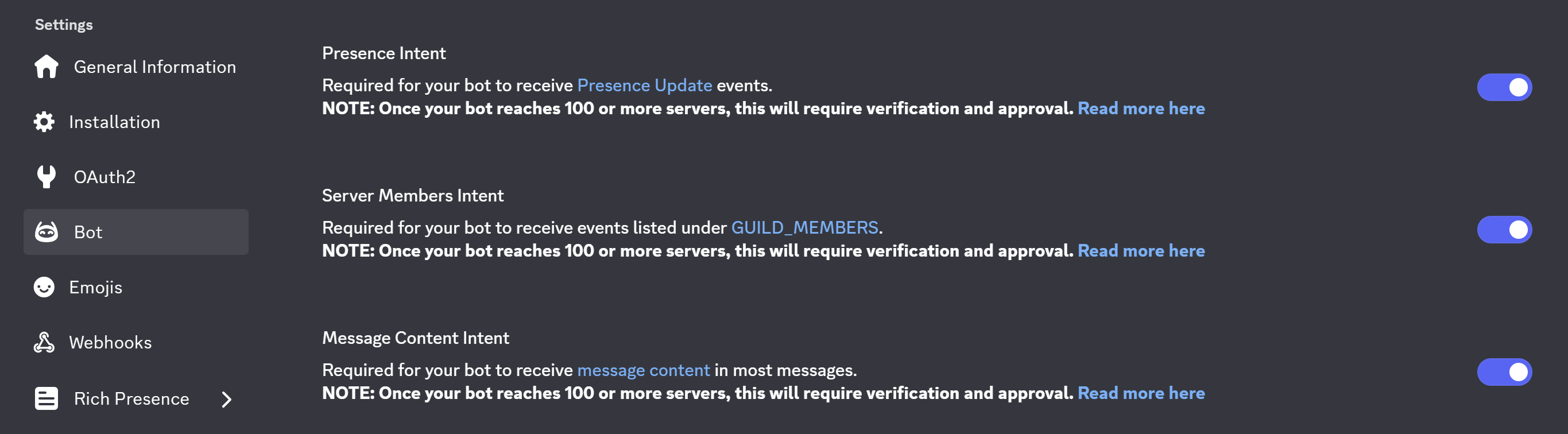
Before starting, go to your Discord Developer Portal and make sure that the Message Content Intent is enabled for your bot.
Message Content Intent
Creating an Event Listener
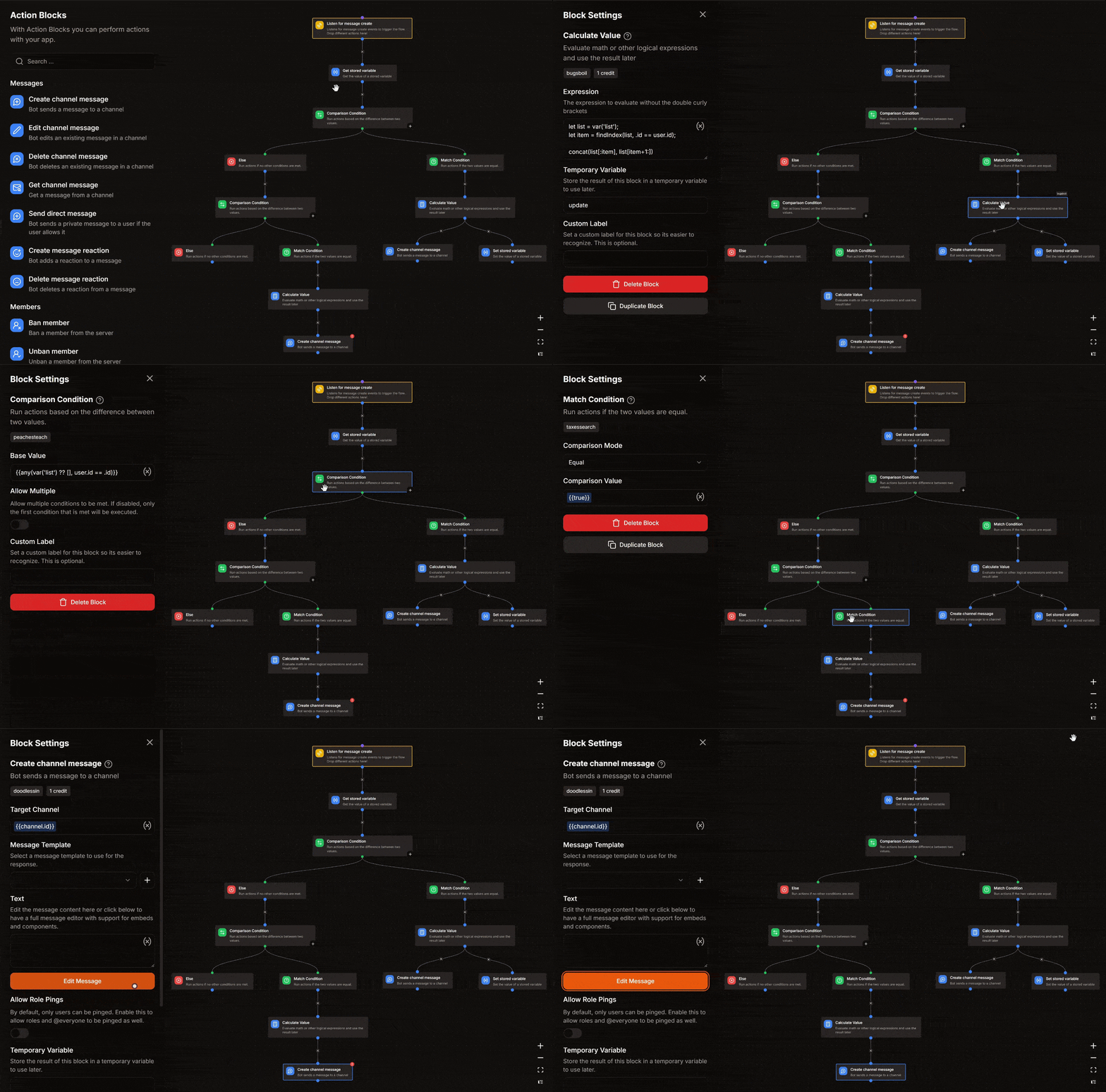
Go to your Kite Dashboard > Event Listeners and create a new listener.
Select the event type as Message Create.
Get Stored Variable
- Variable : afk
- Set Temporary Variable :
list
Comparison Condition
- Base Value :
{{any(var('list') ?? [], user.id == .id)}}
Match Condition
| Comparison Mode | Comparison Value |
|---|---|
| Equal | {{true}} |
Calculate Value
- Set Temporary Variable :
update
Expression
let list = var('list');
let item = findIndex(list, .id == user.id);

concat(list[:item], list[item+1:])
Create Channel Message
- Target Channel :
{{channel.id}} - Message Content :
Welcome back, **{{user.username}}**!
I've removed your afk status.
Set Stored Variable
- Variable : afk
- Operation : Overwrite
- Value :
{{var('update')}}
Else
Comparison Condition
- Base Value :
{{any(var('list') ?? [], message.content contains "<@" + .id + ">")}}
- Match Condition
| Comparison Mode | Comparison Value |
|---|---|
| Equal | {{true}} |
Calculate Value
- Set Temporary Variable :
mentioned
Expression
let list = var('list') ?? [];
let mentions = filter(list, message.content contains "<@" + .id + ">");

len(mentions) == 1 ?
	[
		"<@" + mentions[0].id + "> is currently afk - <t:" + toJSON(mentions[0].time) + ":R>",
		"> " + mentions[0]?.reason ?? "no reason"
	]
:
	[
		"The users : " + join(map(mentions, "<@" + .id + ">"), ", ") + " are currently afk."
	]
Create Channel Message
- Target Channel :
{{channel.id}} - Add an embed
Embed Description
{{var('mentioned') | join("\n")}}